A stealth web browser and research agents for your AI
Stealth Web Search gives any MCP client a real, JavaScript-rendering browser with built-in anti-fingerprinting, plus sub-agents that browse, automate and cross-check the web on their own. It runs in one Docker container, logs every step, and lets you watch it all live.
$ git clone https://github.com/tanishmeh/stealth-web-search.git$ cd stealth-web-search$ docker compose up -d --build$ curl -s http://127.0.0.1:8931/healthz{"ok":true,"name":"stealth-web-search","version":"0.1.0",...}
Features
Everything an agent needs to use the web, and everything you need to trust it
A production-quality MCP server around a fast, stealthy browser engine, with the observability to see exactly what your agents did.
A real browser, not a fetcher
41 browser_* tools: navigate, read pages as text, Markdown, links or structured data, click, type, fill forms, use tabs and cookies, run JavaScript, take screenshots and PDFs. Pages run their scripts in V8 first, so single-page apps work.
Stealth by default
Obscura's stealth build presents a consistent Chrome fingerprint, impersonates its TLS fingerprint, reports navigator.webdriver as false and blocks trackers. Element references stay on the server, so nothing is written into the page.
Sub-agents for whole jobs
Hand over a task and get back only the result. Each run gets its own isolated browser and uses any OpenAI-compatible model: vLLM, LM Studio, Ollama, llama.cpp or a hosted API.
Watch it live
The dashboard streams the agent's tab with markers where it clicks and types, lists every tool call with its arguments and result, and shows the console, network, logs and each sub-agent's reasoning as it streams.
Logs everything
Every MCP message, tool call, browser command, console message and network request goes to rotating JSON log files. Passwords, cookie values and credential headers are redacted, and each sub-agent run leaves a transcript.
LM Studio and any MCP client
One click adds it to LM Studio. Claude Code, Cursor, VS Code and other clients connect over Streamable HTTP; stdio-only clients use the bundled bridge.
Reusable automation scripts
The automation agent turns a task into a verified script with named parameters. Replay it later with script_run in a fresh browser, with no model, in a QuickJS sandbox with memory and time limits.
A hardened container
Non-root, read-only file system, every Linux capability dropped. The browser's control port never leaves the container, private networks are blocked by default, and sub-agents use a separate browser engine.
Tested end to end
Unit and integration suites run against the real browser engine, locally and in the container. Sub-agents are tested with a scripted model and live with a real one, and LM Studio scenarios run against a local model.
51MCP tools
3kinds of sub-agent
1Docker container
0cloud accounts needed
Sub-agents
Give a TASK, get back the OUTPUT
Sub-agents run inside the container next to the browser. Your agent stays in charge and keeps its context small; the sub-agent does the clicking and reading, and returns only what you asked for.
agent_run
Agentic
Completes a task in its own browser and returns the output in the shape you describe, as text or validated JSON.
TaskOn books.toscrape.com, open the Poetry category and read the first 3 books.
Output[{"title": "A Light in the Attic", "price": "£51.77"}, {"title": "The Black Maria", "price": "£52.15"}, …]
agent_automate
Automation
Does the task once, writes a script that repeats it for any inputs, verifies it in a fresh browser, and stores it.
TaskOn quotes.toscrape.com, get the first 3 quotes for a tag.
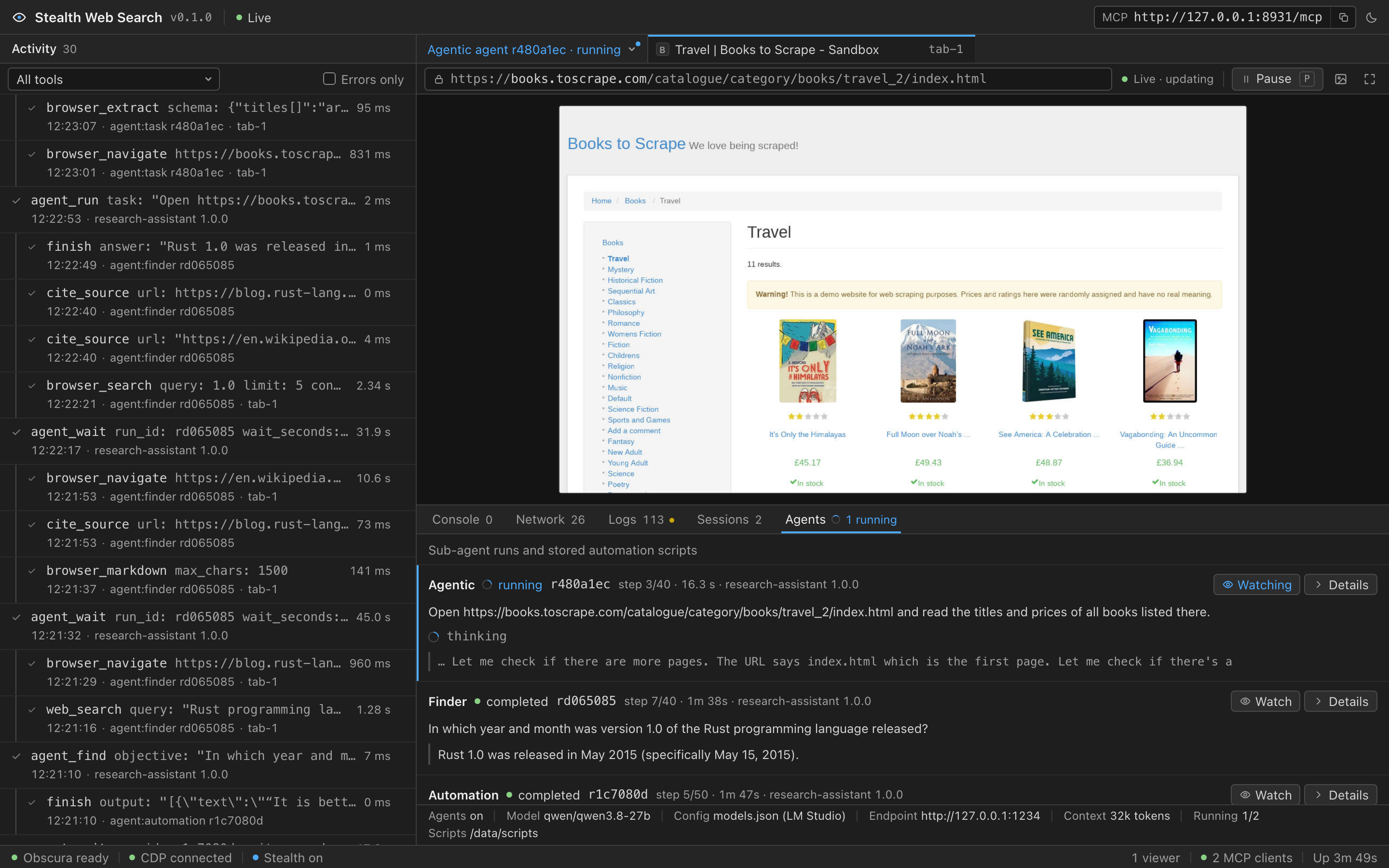
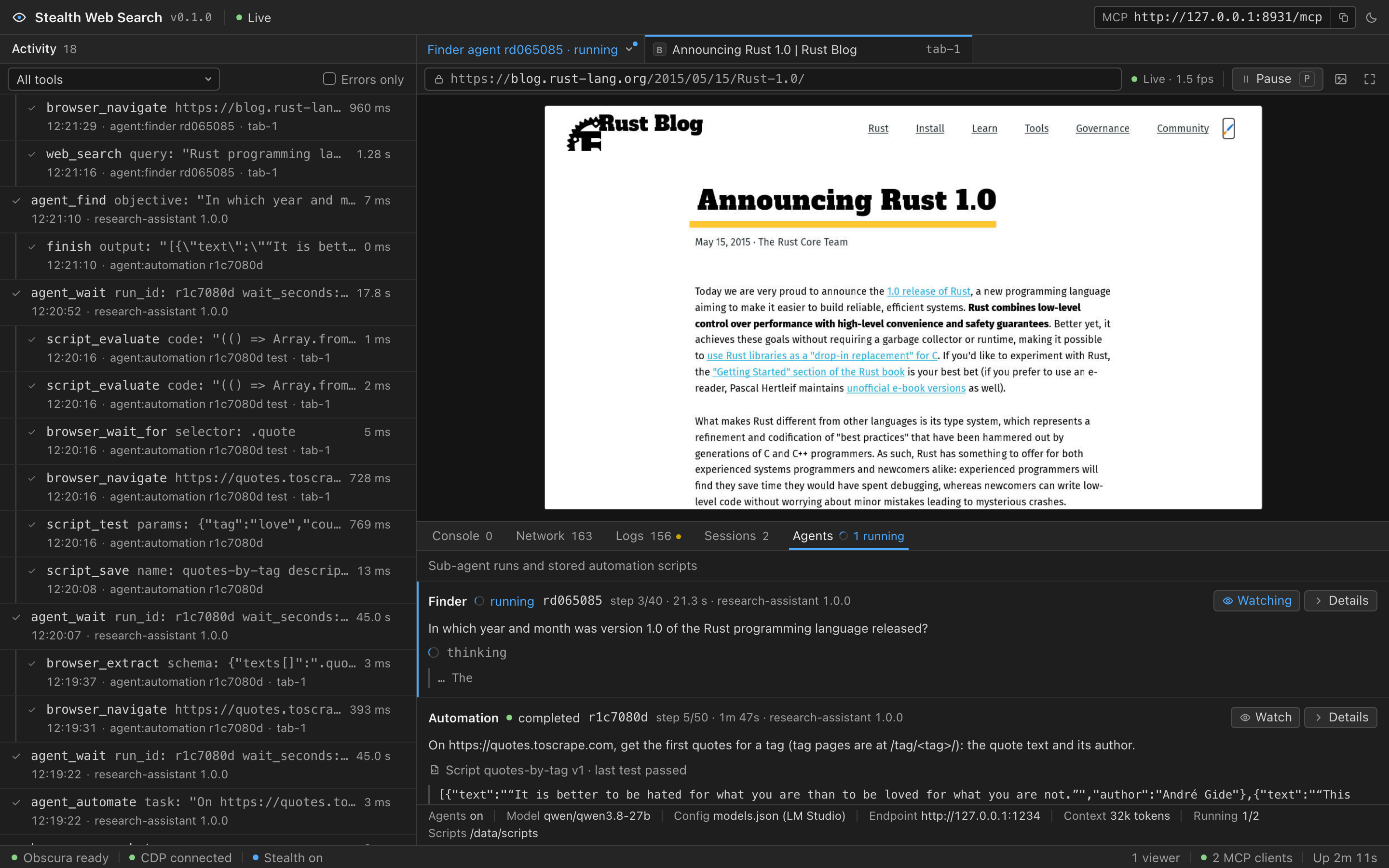
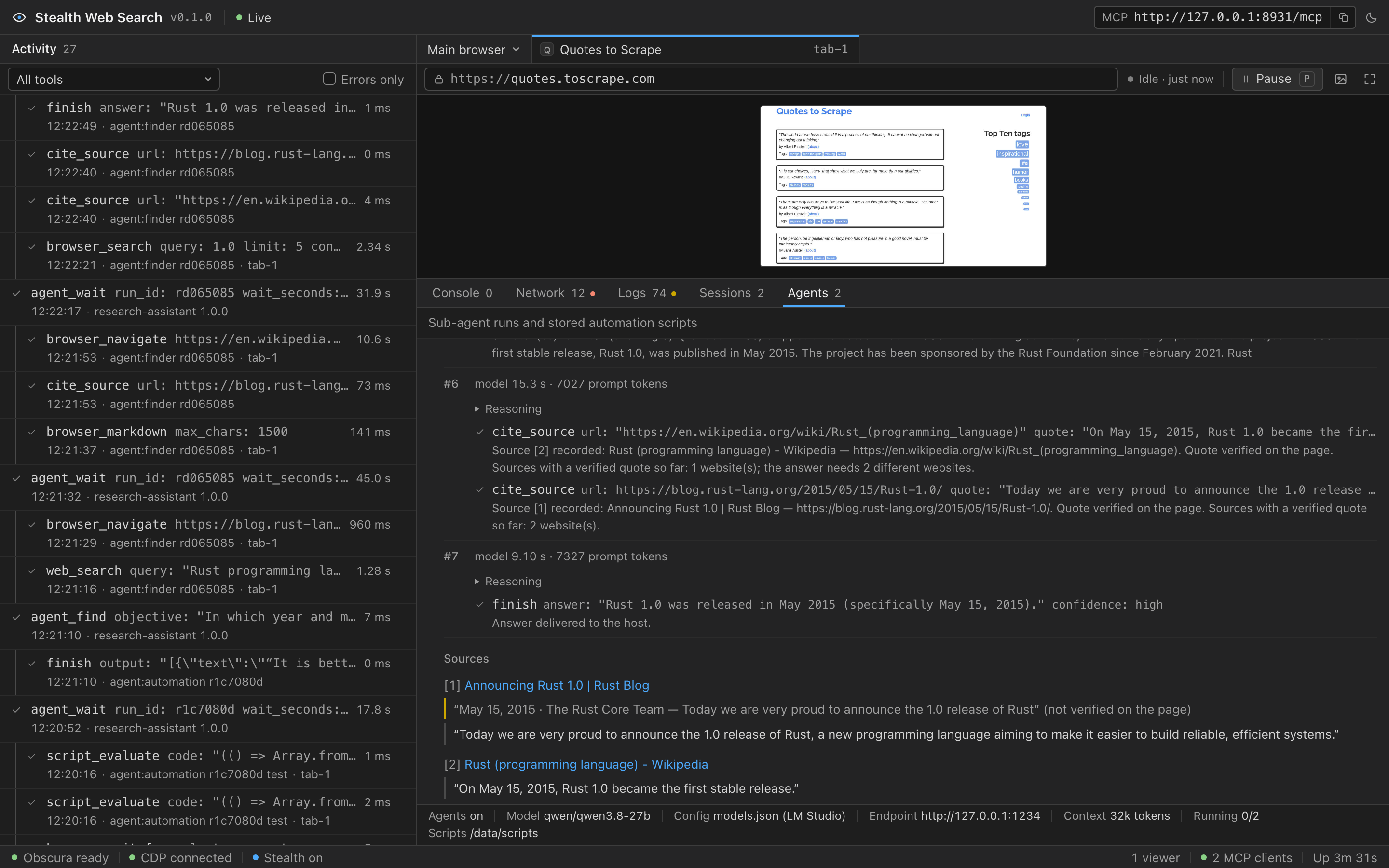
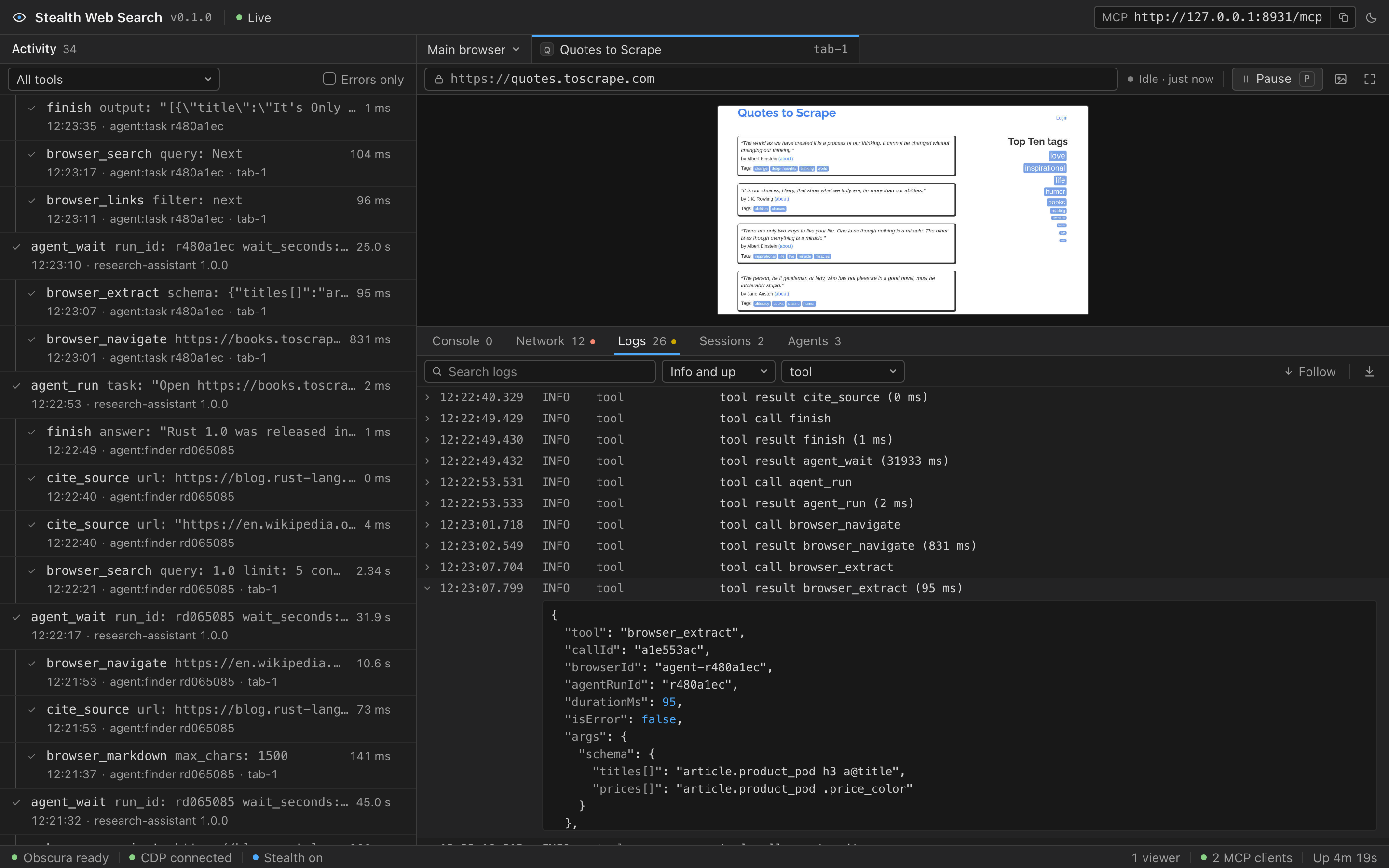
The dashboard at http://127.0.0.1:8931/ shows what each agent sees and does, while it does it.
Watch any browser. Switch the live view, console and network panes to a sub-agent's private browser while it works.
Every step, every source. The model's reasoning, each tool call and result, and the quotes the finder verified on each page.
Structured logs. The server log live in the browser, filterable by level, component and text, and in ./logs as JSON lines.
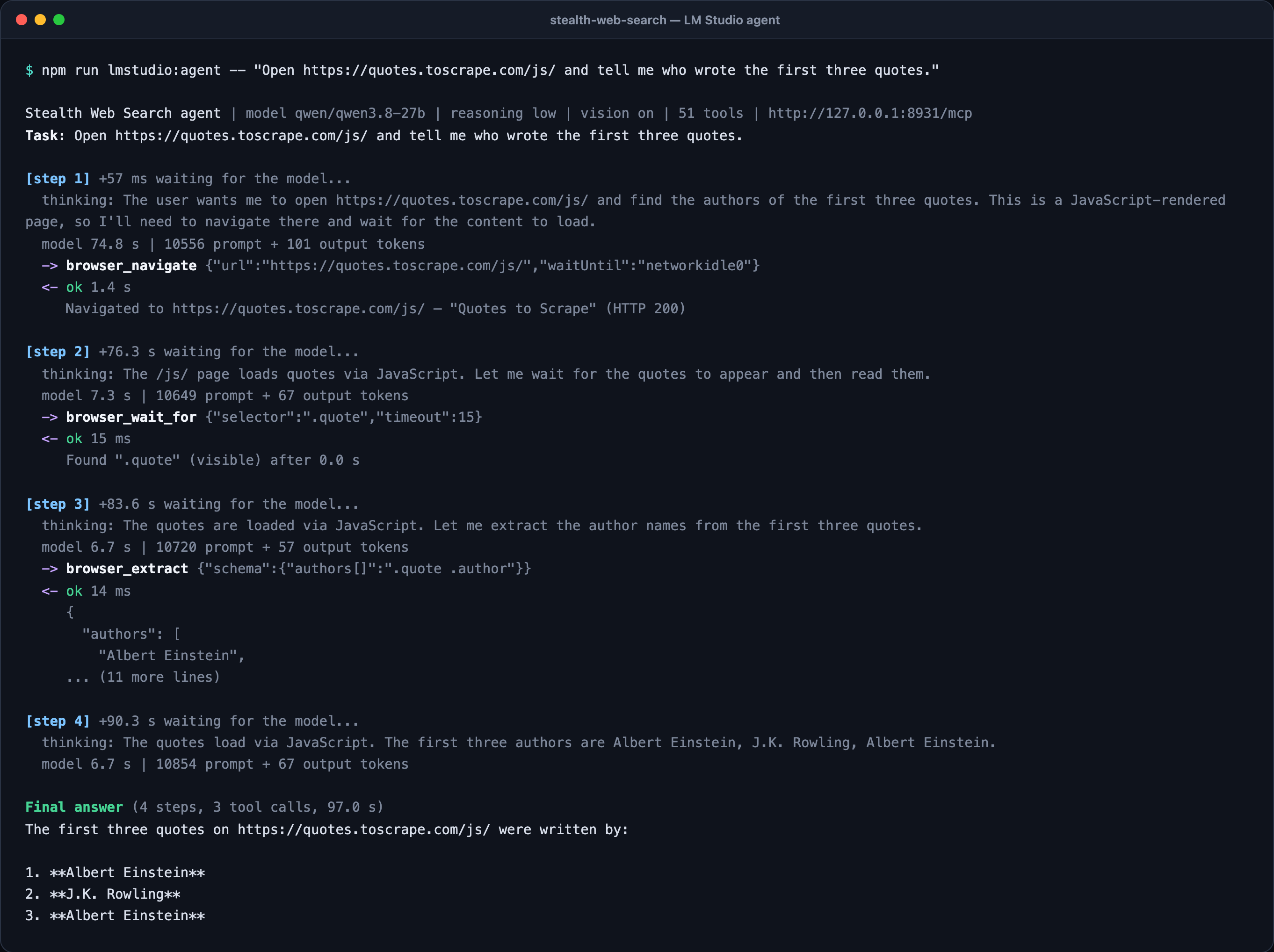
With LM Studio. The bundled command-line agent runs a model loaded in LM Studio through the browser tools, step by step. In LM Studio chats the same tools appear as the mcp/stealth-web-search integration.
Integrations
First-class LM Studio support, and standard MCP for everything else
Use the tools from an LM Studio chat, run the sub-agents on an LM Studio model, or connect any MCP client.
LM Studio
LM Studio connects to MCP servers listed in its mcp.json. Add this one in one click, or with the setup script.
Point the sub-agents at your model with one JSON file
Copy config/models.example.json to config/models.json, set your endpoint, model and key, and restart. The format is the provider list editors use for custom endpoints, so you can reuse the one you already have.
Any OpenAI-compatible endpointvLLM, LM Studio, Ollama, llama.cpp or a hosted API, with streaming, tool calling and reasoning effort.
Validated at startupClear errors for invalid values, warnings for unknown fields and keys that appear twice. Comments and trailing commas are fine.
Checked in one commanddocker compose run --rm --no-deps stealth-web-search node dist/check-config.js --ping shows the settings the agents will use and whether the model answers.
All MCP clients share one browser and their tool calls run in order. Sub-agents and scripts get private browsers on a second engine, so they never disturb yours.
Details, including the tool queue, isolation and crash recovery, are in the architecture notes.
Security
Treat it like a remote-control port. It is built like one.
Whoever reaches the MCP endpoint drives a browser on your machine, so the defaults are strict.
Loopback only. The port is published on 127.0.0.1; AUTH_TOKEN adds bearer-token auth for the MCP endpoint and the dashboard.
DNS-rebinding protection. Host and Origin headers are validated, so a web page cannot reach the server through a rebound domain.
URL guards.file: and javascript: URLs are refused, and private networks are blocked unless you allow them.